1
2
3
4
5
6
7
8
9
10
11
12
13
14
15
16
17
18
19
20
21
22
23
24
25
26
27
28
29
30
31
32
33
34
35
36
37
38
39
40
41
42
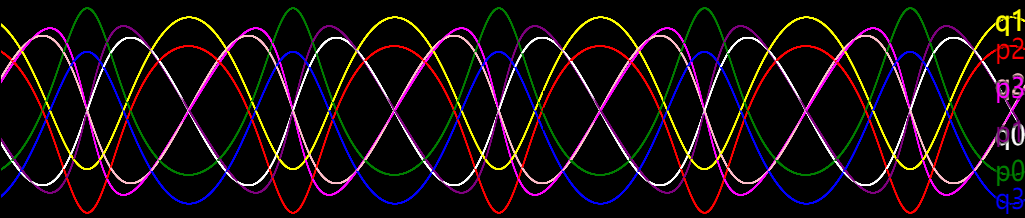
| // There are 8 curves to be drawn on the canvas
canvas.n = 8;
// Setting the hamiltonian of the system
rungeKutta.func = canonicalEquation(4, (t, qp) => {
let [x1, y1, x2, y2, px1, py1, px2, py2] = qp;
return px1**2 + py1**2 + px2**2 + py2**2 - 500 / hypot(x1-x2, y1-y2);
});
// Setting the initial conditions of the system
rungeKutta.initial = [-3, -3, 3, 3, 2, -3, -2, 3];
// Setting the scale of the graph
canvas.mappingY = y => 20 * y + Graphics.height/2;
// Setting the colors for graphing; there are 8 curves and thus 8 colors
canvas.colors = ["white", "yellow", "pink", "blue",
"green", "purple", "red", "magenta"];
// Following codes creates the sprites and bitmaps for visualization
// (Using API provided by rpg_core.js, see [1] for help)
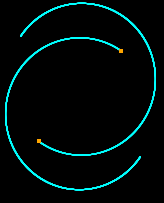
var traceSprite = new Sprite();
var star1 = new Sprite();
var star2 = new Sprite();
scene.addChild(traceSprite);
scene.addChild(star1);
scene.addChild(star2);
traceSprite.bitmap = new Bitmap(Graphics.width, Graphics.height);
star1.bitmap = star2.bitmap = new Bitmap(4, 4);
star1.bitmap.fillAll('orange');
star1.anchor.x = star1.anchor.y = 0.5;
star2.anchor.x = star2.anchor.y = 0.5;
// Updating the state of the sprites when a new sample comes out
canvas.onTrace = (t, qp) => {
// Setting the position of sprites of stars
[star1.x, star1.y, star2.x, star2.y] =
qp.slice(0, 4).map(canvas.mappingY);
// Plotting the trajectory
traceSprite.bitmap.setPixel(star1.x, star1.y, 'cyan');
traceSprite.bitmap.setPixel(star2.x, star2.y, 'cyan');
return true;
};
// Restarting to apply the changes
restart();
|